
4G WIRELESS ALARM · REMOTE MANAGEMENT
4G Wireless Sound & Light Alarm System for Unattended Sites
When something happens on site, the right people need to know first — even with no broadband, no guard on duty and no mains power.
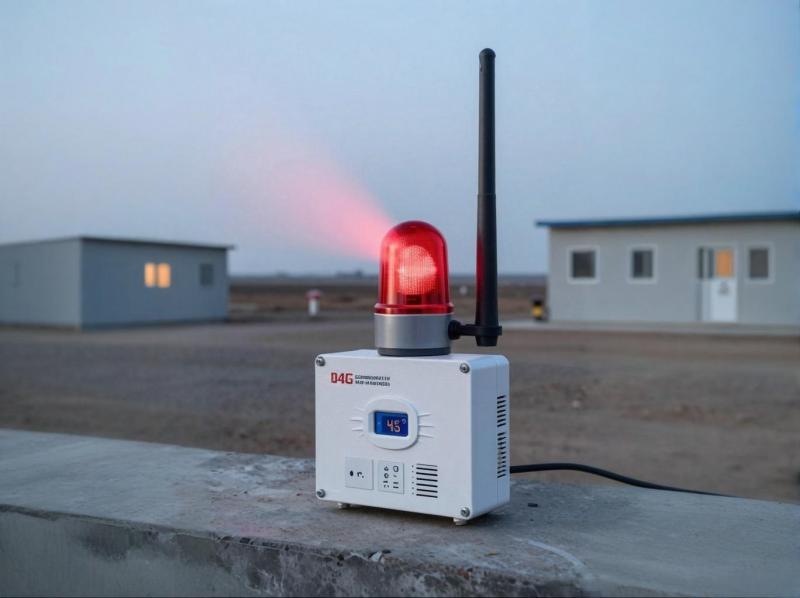
Key capabilities
No wiring, plug and play
Runs over the cellular network — no on-site broadband, no router, no dedicated operator.
Keeps working through outages
Auto-switches to backup battery on mains failure and reports the outage.
Built to the site
Functions, enclosure, linkage logic and dashboard configured to the project.
01 · Where conventional alarms fall short
It is rarely that the siren is not loud enough. More often the system cannot be installed, nobody hears it, the power fails, or there are too many sites to keep track of. These four issues usually decide whether an alarm system actually gets used.
No broadband. Construction sites, fish ponds and remote points are expensive and slow to cable. Temporary sites cannot be wired at all.
Unattended. When an incident happens there is no one on site to hear it. By the time a patrol discovers it, the loss has usually already been done.
Unstable mains power. One outage takes out the alarm and the connection at the same time — precisely when they matter most.
Scattered points. A dozen sites visited by hand. Status is unclear, responsibility is hard to trace, and management runs on guesswork.
02 · One system connects "detect → notify → respond"
From a one-touch on-site alarm to centralised remote management, the common capabilities are ready out of the box. Functions you do not need can be left out; functions you do need are added to the project.
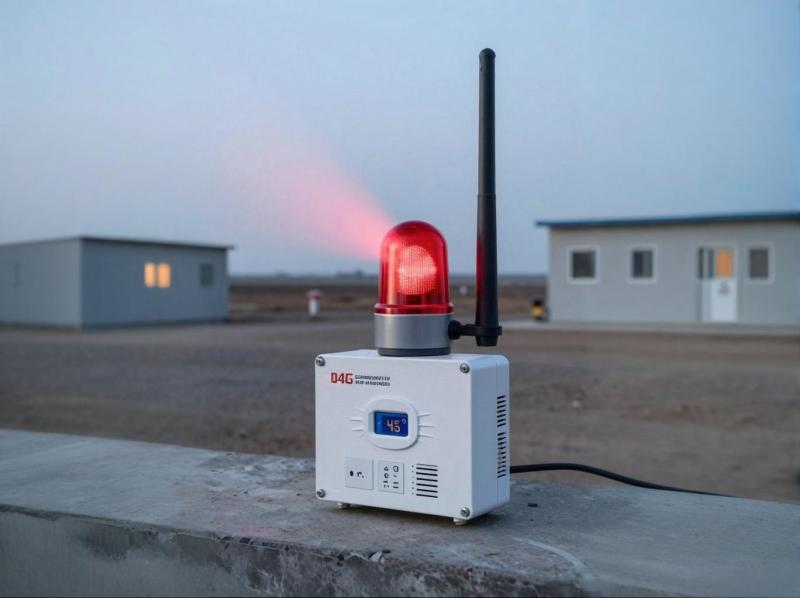
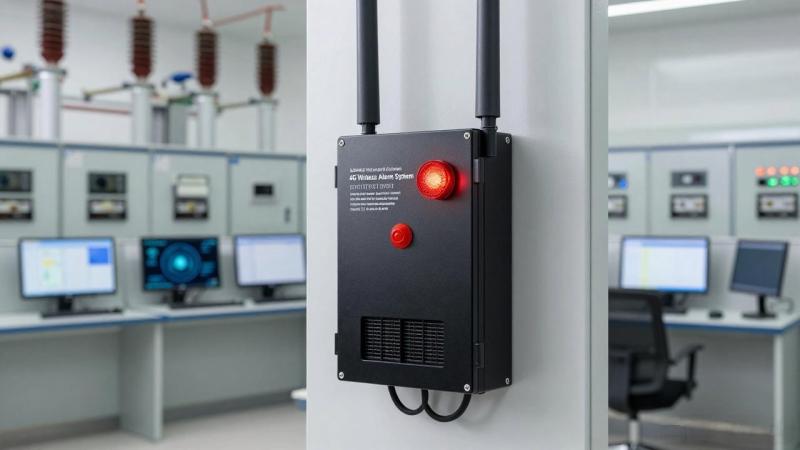
4G wireless access — Power on and connect over the cellular network, with no dependence on broadband or a local area network. Temporary points can be moved and reused. No wiring · fast deployment
One-touch sound-and-light alarm — A high-decibel siren and warning light activate together. Trigger locally by button or remotely from the console, with automatic reset after the set duration. Local and remote triggering
Wireless remote arm / disarm — Arm, disarm and raise an emergency alarm from a handheld remote. An optional management remote supports patrols and batch acceptance. No need to walk up to the device
Site lighting linkage — Lights switch on automatically when an alarm is raised. In normal operation, switch lights remotely, set daily on/off times, or switch them off after a delay. Timer · delay · linkage
Battery backup and power-loss alert — A built-in backup battery takes over when mains power fails and actively reports the outage. The system returns to normal automatically when supply is restored. No gap in coverage
Centralised status visibility — Alarm, arm/disarm, mains, battery and lighting status are visible on one screen. Points are grouped and named by zone, so you can tell which one triggered. One screen, full picture
Remote operation — Arming, disarming, light switching and time-plan edits are all handled in the management console. No need to send someone to the site. Fewer trips and patrols
Event logging — Alarms, arm/disarm actions, power-loss events and operations are all recorded for shift handover, review and accountability. Traceable · reviewable
03 · On-site events appear in the management console at the same moment
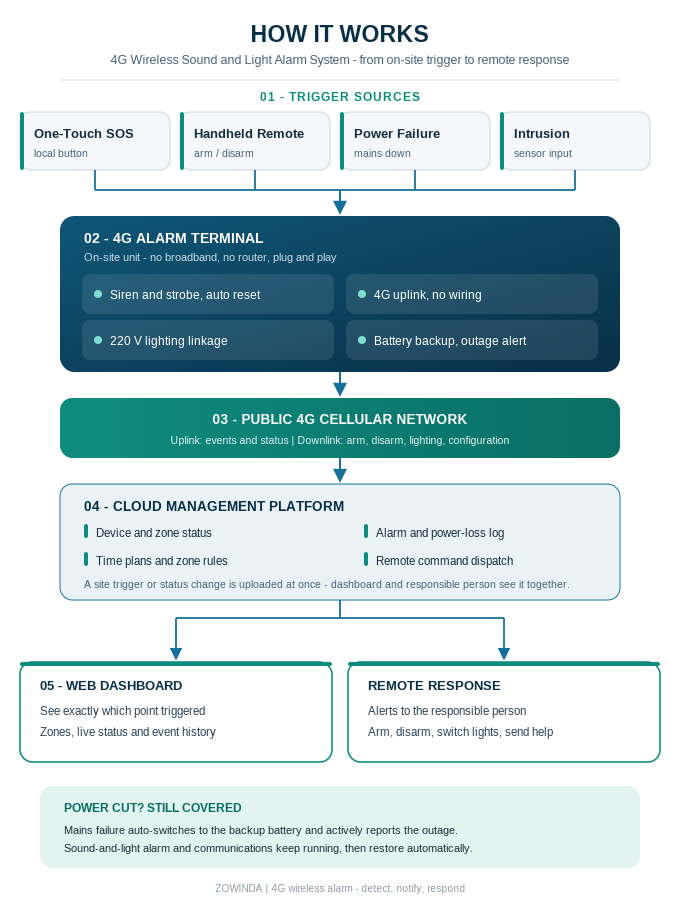
The three-tier structure needs no changes to existing site wiring. When points are added later, they join in exactly the same way.
| Tier | What it contains |
|---|---|
| Site | Sound-and-light alarm terminal; local remote and panic button; site lighting and warning devices; backup battery |
| Management platform | Device and point status aggregation; alarm and power-loss records; time plans and zone rules; remote command dispatch |
| Admin console | Web dashboard available anytime; alarm point and status alerts; remote arm/disarm and lighting; historical record lookup |
A site trigger or status change is uploaded automatically. The dashboard and the responsible person see it together — no one has to stay beside the device.
04 · Six site types where the system earns its keep
The original design targeted demanding conditions — no broadband, no one on site, and an alarm that must still sound after a power cut. These conditions are just as common at construction sites, ponds, plant rooms and industrial parks.
Construction sites and temporary work zones — Typical risk: night-time intrusion, no one to call for help. Materials and equipment sit outdoors, with the longest unattended gaps at night and on holidays. One-touch SOS and sound-and-light deterrence take effect on the spot while the dashboard alerts remotely. When the project ends, the equipment can be removed and reused. No wiring · relocatable · night-time deterrence
Fish ponds and farms — Typical risk: a power cut at night stops aeration. The real fear is not a broken device but a power cut nobody knows about. Mains failure raises an immediate alert, and the duty officer can confirm status remotely instead of discovering the loss at dawn. Instant outage alert · remote status check
Substations, pump stations and plant rooms — Typical risk: long unattended hours, unstable mains. Points sit around the perimeter or out of town, where patrol frequency alone cannot provide cover. Outages, intrusions and status changes upload automatically, reducing empty runs and leaving a record of every anomaly. Unattended · status always visible
Warehouses and facility perimeters — Typical risk: scattered points, arm/disarm by memory. Yards, storage areas and entrances are grouped and named by zone; on alarm the dashboard points to the exact location. Arm and disarm all zones remotely at shift change instead of walking every building. Zone management · central arm/disarm
Campuses, elder-care facilities and public areas — Typical risk: sudden calls for help, long response chains. Local help points in corridors, gatehouses and activity rooms give one-touch SOS. A single trigger produces an on-site sound-and-light prompt and a simultaneous console response, shortening the time from incident to action. One-touch SOS · multi-point linkage
Villages and industrial parks — Typical risk: notices by shouting, lighting switched by hand. Issue a warning or switch lights across multiple points from one console action. Daily lighting follows seasonal schedules, cutting manual work. Remote broadcast · scheduled lighting
What the site cares about, and what the system answers
| Site type | Most common worry | Matching capability |
|---|---|---|
| Temporary work sites | Cannot be wired or moved; wasted when the project ends | Cellular access, power-on use, removable and reusable |
| Aquaculture | Night-time power cut goes unnoticed | Active outage reporting; backup keeps alarms and communications running |
| Unattended plant rooms | Problems found only on patrol | Live status, automatic change uploads, full event log |
| Multi-point warehouses | Hard to tell which point alarmed; arm/disarm by memory | Zone naming, central arm/disarm, alarms pinpointed to a point |
| Parks and public areas | Lighting and warnings are all manual | Timed switching, delayed off, alarm-triggered lighting |
05 · Why this system
Spend the budget on what actually gets used: quick to install, stays online, visible, manageable — and adjustable as the project changes.
- Light deployment — No network cable and no major electrical work; a single point can be live the same day. Works for temporary and remote sites too.
- Always on — Mains failure automatically switches to backup battery and reports the outage, so key hours never mean losing contact.
- Visible — From "we found out afterwards" to "we know as it happens". Status and history are available online and clear at handover.
- Manageable — Arming, disarming, lighting and time plans are handled remotely, cutting trips and night-site visits.
- Configurable — Function mix, enclosure, signalling and linkage logic are adjusted to the project, so you do not pay for features you will not use.
- Proven delivery — Validated in batch projects, tested unit by unit, with documentation and technical support — not a one-off prototype.
06 · Built to the project, not assembled from stock
Define the site conditions and the response workflow first, then fix the functions and quantities. The process is short and every step has a confirmable result.
STEP 01 · Requirements — Number of points, power and network conditions, devices to be linked, and who receives the alerts.
STEP 02 · Solution confirmation — Function mix, dashboard columns, enclosure and mounting method, captured in a written configuration list and quotation.
STEP 03 · Sample validation — Trial under real site conditions: alarm, lighting linkage, remote operation and power-loss behaviour.
STEP 04 · Batch delivery — Unit-by-unit testing before shipment, deployment and user documentation, plus ongoing technical support.
What you receive
- Finished devices and the matching accessories
- Cloud management dashboard and point configuration
- Deployment, operation and maintenance documentation
- Operator training and continuing technical support
Frequently asked questions
There is no broadband on site — will it work?
Yes. The system runs over the public cellular network, so the site only needs a power supply. No network cable and no router configuration are required, which suits temporary or scattered sites such as construction zones, fish ponds and remote locations.
Does it still alarm during a power cut?
Yes. A built-in backup battery takes over automatically when mains power fails and reports the outage. Communications and the sound-and-light alarm keep working during the outage and return to normal automatically once power is restored.
Can multiple sites be managed centrally and viewed by zone?
Yes. Alarm, arm/disarm, mains, battery and lighting status from every point are consolidated on one dashboard. Points can be grouped and named by zone so you can see exactly which one triggered, and new points join through the same onboarding flow.
Can it be customised to our cabinet, enclosure or linkage logic?
Yes. The function mix, enclosure, sound-and-light signalling, lighting linkage and management interface are all adjustable to the project. We confirm requirements first, build a sample for validation, then schedule production after approval.
Can we change lighting schedules or add devices later ourselves?
Yes. Light on/off times and delayed-off durations can be changed in the management interface at any time without a site visit. Changes take effect immediately and are retained after a power loss and restart.
How is the delivery lead time arranged?
It depends on the scope of customisation and quantity. Standard configurations follow stock lead times; enclosure or function changes go through sample confirmation first. The batch production window is stated with the quotation when the solution is confirmed, so you can plan site entry.